I am on Windows 11 25H2 Build 26200.8037, with Fences 6.42.
I have my laptop monitor at 2560x1600 set at scale 125%.
My secondary monitor (the main display) is 2560x1440 at 100% scaling.
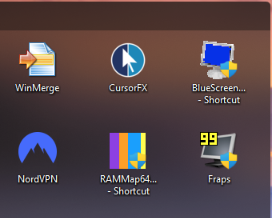
When my Fences are on the laptop display they look normal, like this:
When they are on my secondary monitor the icons and text are larger and overlap the text of other icons:
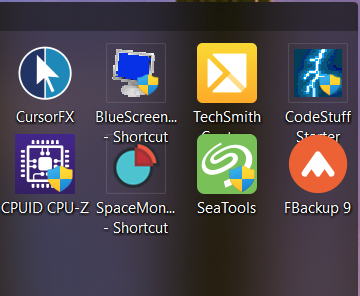
It's almost as if Fences has the scaling of the two monitors reversed. Is this a bug, or is there some setting in Fences I haven't been able to find that will space out the icons so they don't overlap?
