Object Navigator
from  Stardock Forums
A new program called Object Navigator has appeared. Guys from Stardock, tell us about this program.
 Stardock Forums
A new program called Object Navigator has appeared. Guys from Stardock, tell us about this program.
In mid-November 2026, Stardock CEO Brad Wardell shared progress on bringing Object Navigator back for Object Desktop subscribers, positioning it as a fast Windows file manager (including WinUI 3 and ARM support).

pelaird , thank you very much! I’ve downloaded and installed the program. It’s still in English, but everything is clear even without a translation.
pelaird , thank you very much! I’ve downloaded and installed the program. It’s still in English, but everything is clear even without a translation.
Screenshots please.
Object Desktop https://store.stardock.com/myaccount/products
I installed this in a Sandbox and it appears to be really fast. I'm wondering if it is compatible with Groupy?
I'm also wondering if you can turn it off without uninstalling like with the Files app?
Pretty cool. Give it a double file pane and I am all changing. 
Not quite ready for prime time. Columns view doesn't seem to work. No compact mode, too much space between items.
Looks promising though. 
Pretty cool. Give it a double file pane and I am all changing.
That would be good, I agree. In the meantime (untll the dual panel) using DOpus.
Really cool to see Stardock finally do this, should make the next windowblinds better too. I am guessing this is an alpha version right now? I would have a lot of comments about what needs to be fixed, but it is probably too soon for that since it seems to still be in development (i.e. no beta announcement yet)
Really cool to see Stardock finally do this, should make the next windowblinds better too. I am guessing this is an alpha version right now? I would have a lot of comments about what needs to be fixed, but it is probably too soon for that since it seems to still be in development (i.e. no beta announcement yet)
Cool it fixes Explorer/WindowBlinds annoyances with darkmode like black fonts on dark backgrounds.
Explorer: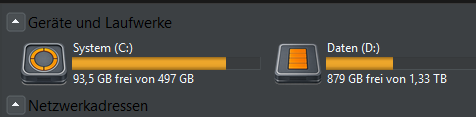
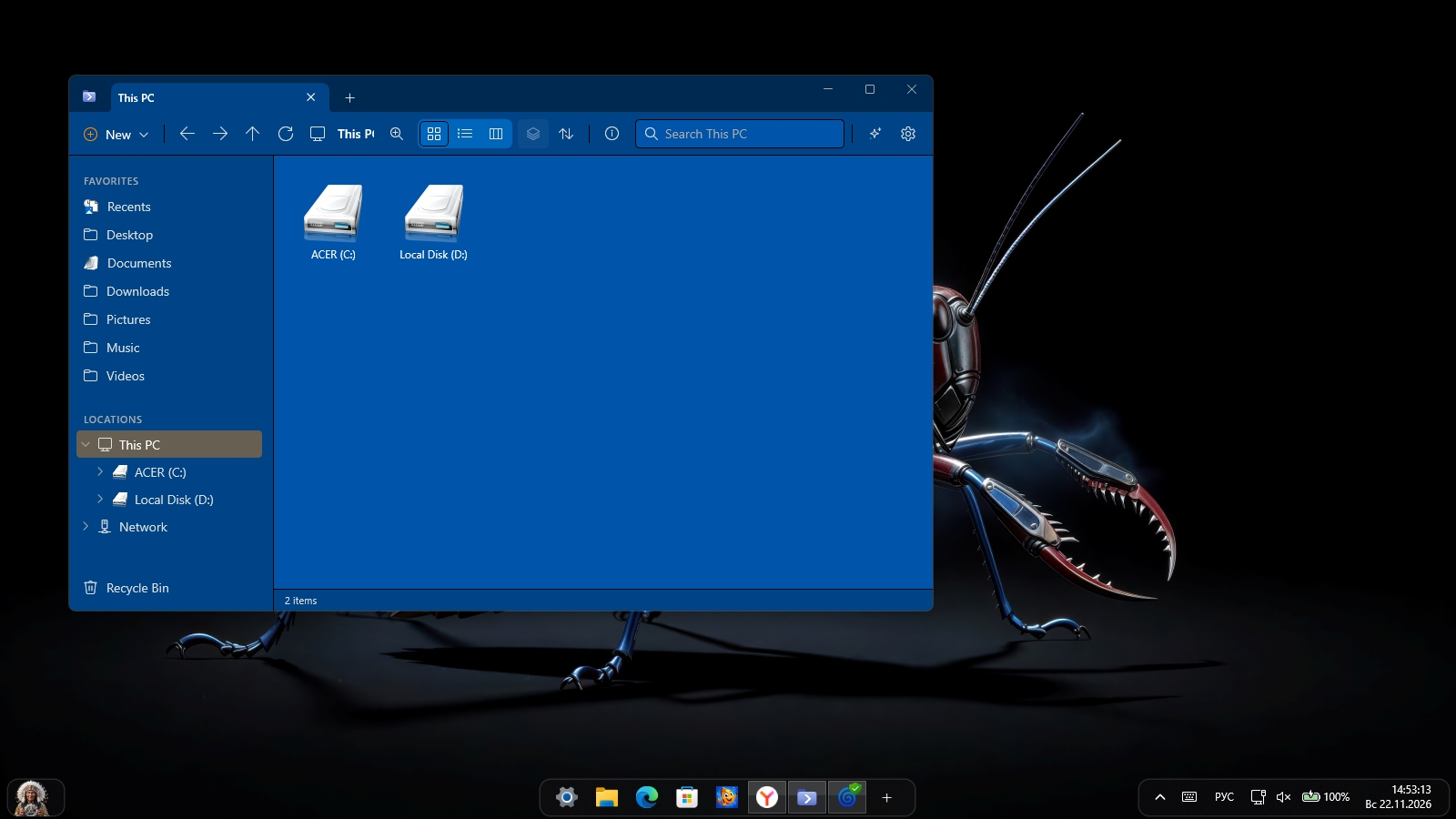
Navigator:
Not so cool: It doesn't skin the titlebar with WindowBlinds.
I guess this is a WinUI3 / WB problem, as my WinUI3 apps do the same.
Welcome Guest! Please take the time to register with us.
Select a reason for giving karma:
You're about to visit an external site:
Sign up here to get the latest news, updates, and special offers delivered directly to your inbox.

 WinCustomize Forums