hstassen

No Widget

Windows Version Number: Windows 11 version 26H2
App Version: 3.0.0.4

Sire,

I am experiencing an issue with Start11 v3, version 3.0.0.4.

I performed a clean installation after restoring a previous Windows 11 system backup.

Before installing Start11 v3, I completely removed Start11 v2 using Revo Uninstaller, including its settings. I restarted Windows, cleaned the registry, and temporarily disabled Norton antivirus during installation.

The problem:

  1. I am using Windows 11 Style.

  2. I create a new, empty group in the Start Menu.

  3. I right-click inside the group and select Add → Widget.

  4. The list of available widgets appears.

  5. I select a widget, but it does not appear in the group.

  6. Adding a regular application, such as Brave, works correctly.

  7. Adding a widget to the group containing Brave also fails.

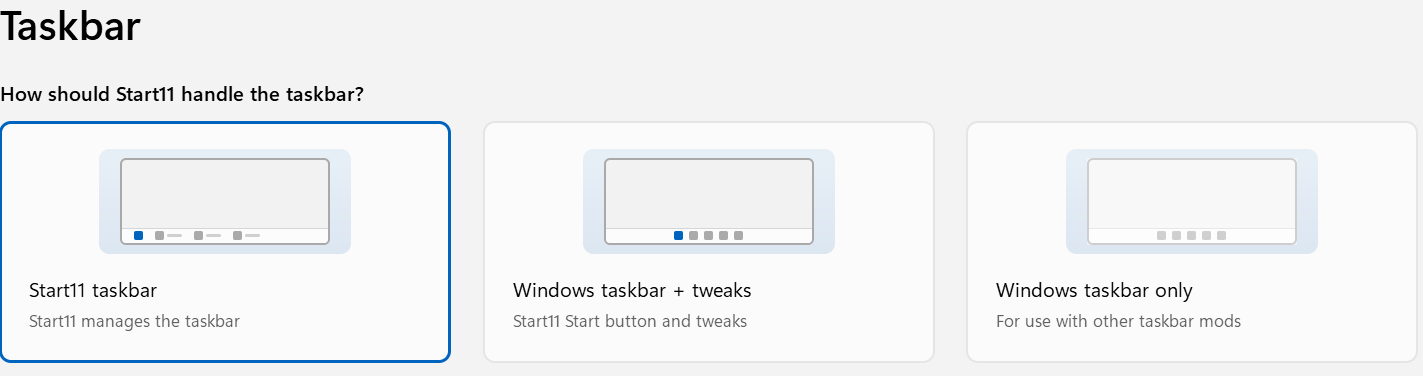
Enhanced Taskbar is enabled.

Could you please confirm whether this is a known issue in version 3.0.0.4, and whether a fix is planned?

Is an earlier beta build available for testing?

Thank you for your assistance.

===

System Information:

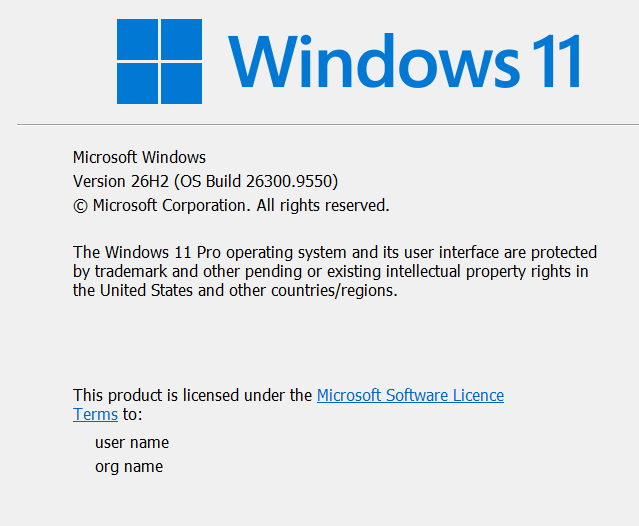
  • Operating System: Windows 11 Pro

  • Windows Version: 26H2

  • OS Build: 26300.9550

  • Start11 Version: 3.0.0.4

  • Start Menu Style: Windows 11 Style

Additional information:

Regular applications can be added to Start Menu groups without any problems. However, widgets cannot be added, even after a clean installation of Start11 v3.

Could this issue be related to Windows 11 version 26H2, or is it a known bug in Start11 v3 Beta?
Thanks, [email protected]
168 views 19 replies
Reply #1 Top

Hello,
Sorry to hear you're experiencing this issue. I have a few questions to help us better understand what's happening:
  1. Do you receive any error message when attempting to add a widget?
  2. Is there enough available space within the group for the widget to be added?
  3. Could you please post a short video demonstrating the issue? This would help us better understand and investigate the problem.
Thank you,

Basj,
Stardock Community Assistant.

Reply #2 Top

Hello Basj,

Thank you for your reply.

I have uploaded a short video to YouTube demonstrating the problem:

https://www.youtube.com/watch?v=vQ4u4xR6llw

When I select the Clock widget, the widget selection window closes and the normal Start11 menu reappears. However, the Clock widget is not displayed.

There is sufficient space available, and no error message appears.

The same issue occurs with the Calendar widget.

I have also tested both taskbar settings:

  • Start11 taskbar (Enhanced)

  • Windows taskbar + tweaks

Unfortunately, neither setting resolves the problem.

I am using Start11 v3 beta 3.0.0.4 with the Windows 11 style.

I hope the video helps you investigate this issue.

Thank you for your assistance.


Reply #3 Top

Hello,
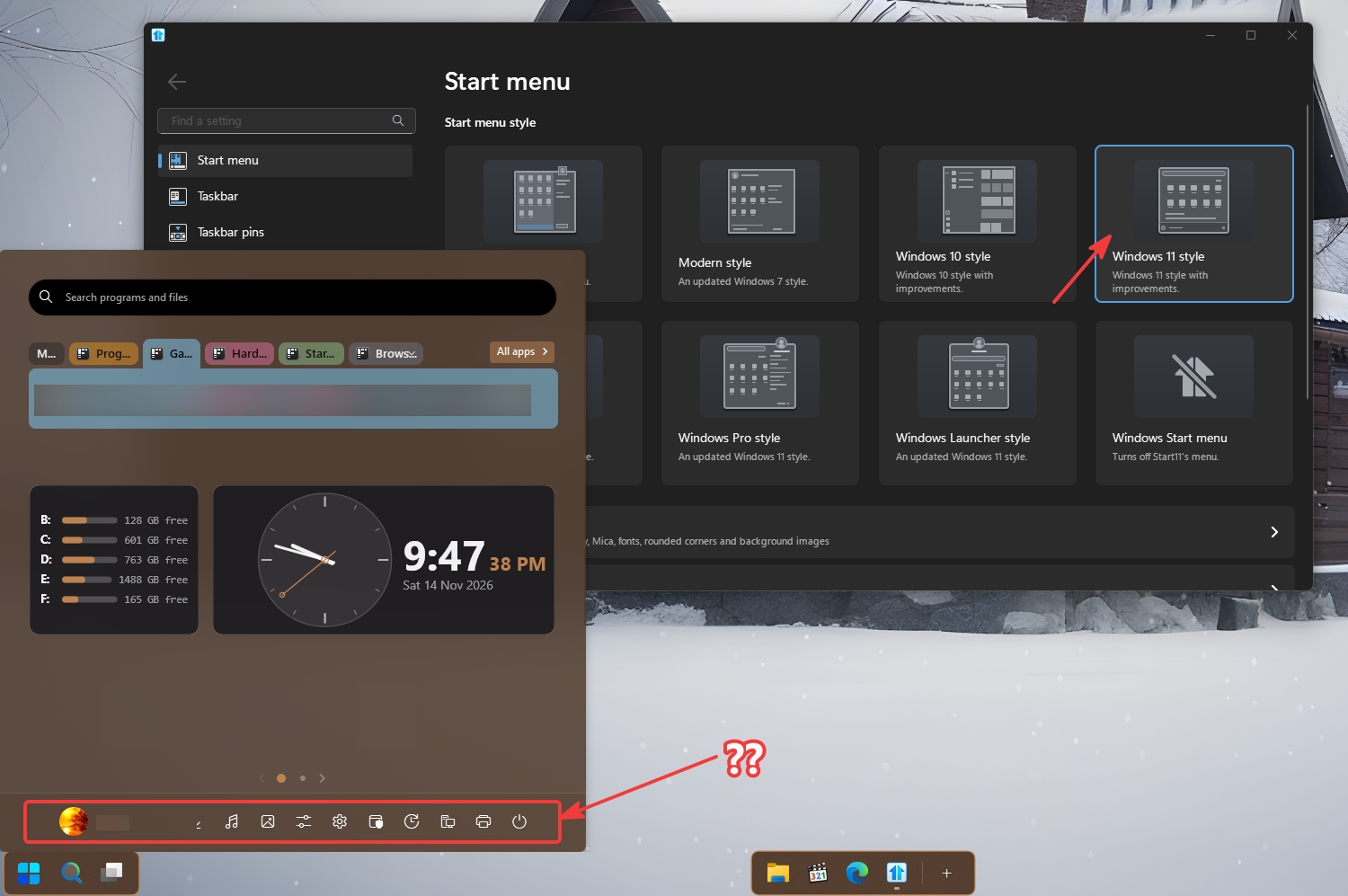
Sorry to hear you are having issues. This is what I get when I am on Windows 11 Style start panel. Notice those, Account picture appear at the bottom also the shutdown button is at the bottom, not really sure why your Shutdown button at the top and account picture also on the top. You sure you on Windows 11 style?


Basj,
Stardock Community Assistant.

Reply #4 Top

He is using the Windows Launcher style, but I am able to add widgets to this style.


Windows 11 Pro - 26300.9974
Start11v3 - 3.0.0.4

Reply #5 Top

Hello Basj,

Thank you for your suggestion.

I have now switched to the Windows 11 style as recommended.

Unfortunately, the problem remains exactly the same.

When I select the Clock widget, the widget selection window closes and the Start11 menu reappears, but the Clock widget is still not displayed.

The same issue occurs with the Calendar widget.

So the problem is not resolved by changing the Start menu style.

Could this be a bug in Start11 v3 beta 3.0.0.4?

Thank you for your continued assistance.

Reply #6 Top

Hello Basj,

I have some additional information that may help investigate the widget issue.

My system is running:

  • Windows 11 Pro

  • Version 26H2

  • OS Build 26300.9974

  • Start11 v3 beta 3.0.0.4

I have also checked Windows using DISM /ScanHealth and SFC /scannow. Both completed successfully without detecting any corruption.

The Clock and Calendar widgets still do not appear, even when using the Windows 11 Start menu style.

Could you please confirm whether Start11 v3 beta 3.0.0.4 is fully compatible with Windows 11 version 26H2, build 26300.9974?

I have another option that might help us identify the cause of this problem.

I have a spare SSD available, and I could perform a completely clean installation of Windows 11 Pro on that drive.

I would then install only Start11 v3 beta 3.0.0.4, without any debloating, Windows modifications, or additional customization software.

This would allow us to test whether the Clock and Calendar widgets work correctly on a fresh Windows installation.

If the widgets work, it would suggest that something in my current Windows configuration is causing the problem.

If they still do not work, it could indicate a compatibility issue or a bug in Start11 itself.

Do you think this would be a useful test, or would you prefer that I wait for further instructions from your team?

Reply #7 Top

Hello Basj,

I have made an interesting discovery while investigating the widget issue in Start11 v3 beta 3.0.0.4.

I created additional Start menu pages using the available page templates.

On Page 2, I found an existing Clock widget that works correctly.

I then discovered that widgets can be moved between pages by dragging them.

I successfully moved the Clock widget from Page 2 to Page 1, where it is now displayed.

This suggests that Start11 is capable of displaying widgets and moving them between pages.

However, when I try to add a new Clock or Calendar widget using the Add function, the selection window closes and the widget does not appear.

It therefore seems that the problem may be related specifically to the Add Widget function rather than the widgets themselves.

I hope this information helps you identify the cause.

Thank you for your continued assistance.

Reply #8 Top
Quoting hstassen,

The problem:

  1. I am using Windows 11 Style.
End of hstassen's quote

No, I did not suggest to try changing Start menu style, I just point out that your video is not showing Start11 Windows 11 style as you specified above. So that lead me to think perhaps, something not properly configure.

And yes, The add Widget should work on any modern Start11 style, on any page, unless, something is blocking it from be added into that group.

You mentioned that you can add Widget when you on a new page, might give us a hint that there is something blocking in your main page. What you can do, as a test. Use the Settings backup function. Backup your current setting to a file. Then do the Reset setting, This should clear your setting. And try add new group and add Widget into it, see if that work. Also, try make the Start Menu bigger by click and drag at the edge of the start menu, just to ensure there is enough space for the Widget to appear. You can adjust it back to size once it is done.

Try that and report back.

Thank you,

Basj,
Stardock Community Assistant

Reply #10 Top

Hi Basj,

I backed up my Start11 settings, reset them, and selected Windows 11 style again. Before restoring the backup, I tested Add Widget in a new group on both the first page and a new blank page. In both cases, I could select a widget, but nothing appeared.

I also tried enlarging the Start menu to nearly full-screen size, with the same result. My last test on the first page was with the taskbar set to Windows taskbar + tweaks.

I’m using Start11 v3 beta, version 3.0.0.4. Is there any diagnostic information I can collect to help you trace this?

Thanks,
Hans

Reply #11 Top

Hi Basj,

I ran one more test. I disabled Windhawk and verified in Process Explorer that its DLL was no longer loaded in explorer.exe. I then tried adding the same widget to the same Start11 group. The result was unchanged: no widget appeared.

Does Start11 v3 beta 3.0.0.4 have a debug log I can enable to capture what happens when I select a widget?

Thanks,
Hans

Reply #12 Top

Hi Basj,

I reset my Start11 settings and tested Add Widget in Windows 11 style, both on the first page and on a new blank page. I could select a widget, but it didn’t appear. Making the Start menu nearly full-screen didn’t help either.

I also disabled Windhawk and confirmed in Process Explorer that its DLL was no longer loaded in explorer.exe. I tried adding the same widget again and got the same result. Windows Event Viewer showed no related errors at the time of the test.

I’m running Start11 v3 beta 3.0.0.4. Is there a debug log I can enable to capture what happens when I select a widget?

Thanks,

Reply #13 Top
Quoting hstassen, reply 4150335

Hi Basj,

I reset my Start11 settings and tested Add Widget in Windows 11 style, both on the first page and on a new blank page. I could select a widget, but it didn’t appear. Making the Start menu nearly full-screen didn’t help either.

I also disabled Windhawk and confirmed in Process Explorer that its DLL was no longer loaded in explorer.exe. I tried adding the same widget again and got the same result. Windows Event Viewer showed no related errors at the time of the test.

I’m running Start11 v3 beta 3.0.0.4. Is there a debug log I can enable to capture what happens when I select a widget?

Thanks,

End of hstassen's quote

Hello again,

Perhaps something else is blocking Start11 from working properly. If you have Windows 11 Pro, please do Windows Sandbox test and see if the issue appear within the Sandbox. Use this steps to do Sandbox test: https://support.stardock.com/space/SHC/1416855562/Testing+Start+in+Sandbox. Please try it and report back.

Thank you,

Basj,
Stardock Community Assistant


Basj,
Stardock Community Assistant.

Reply #14 Top

Start11 v3 Beta 3.0.0.4 – Widgets still not working after clean Windows 11 installation

Hello Stardock Support Team,

I would like to provide an important update regarding the widget issue in Start11 v3 Beta 3.0.0.4.

Today, I performed a completely clean installation of Windows 11 Pro and reinstalled Start11 v3 Beta 3.0.0.4. + Dotnet

Unfortunately, the problem remains exactly the same.

My configuration:

  • Windows 11 Pro (fresh installation)

  • Start11 v3 Beta 3.0.0.4

  • Windows 11 Start Menu Style

  • Enhanced Taskbar enabled

What I have tested:

  1. The widget selection list opens normally and displays approximately 20 widgets.

  2. When I select a widget, nothing happens.

  3. No widget appears on the Start Menu page.

  4. I created a completely new Start Menu page to rule out a layout problem.

  5. Widgets also fail to appear on the new page.

  6. Regular icons and shortcuts can be added without any problems.

Conclusion:

The issue persists even after a completely clean Windows 11 installation.

This strongly suggests that the problem may be related to the widget functionality in Start11 v3 Beta 3.0.0.4 rather than my previous Windows installation.

Could you please investigate this issue and let me know whether it is a known bug?

Thank you for your assistance.

Reply #18 Top

Start11 v3 Beta 3.0.0.4 – Widget issue appears related to Windows 11 26H2

Hello Stardock Support Team,

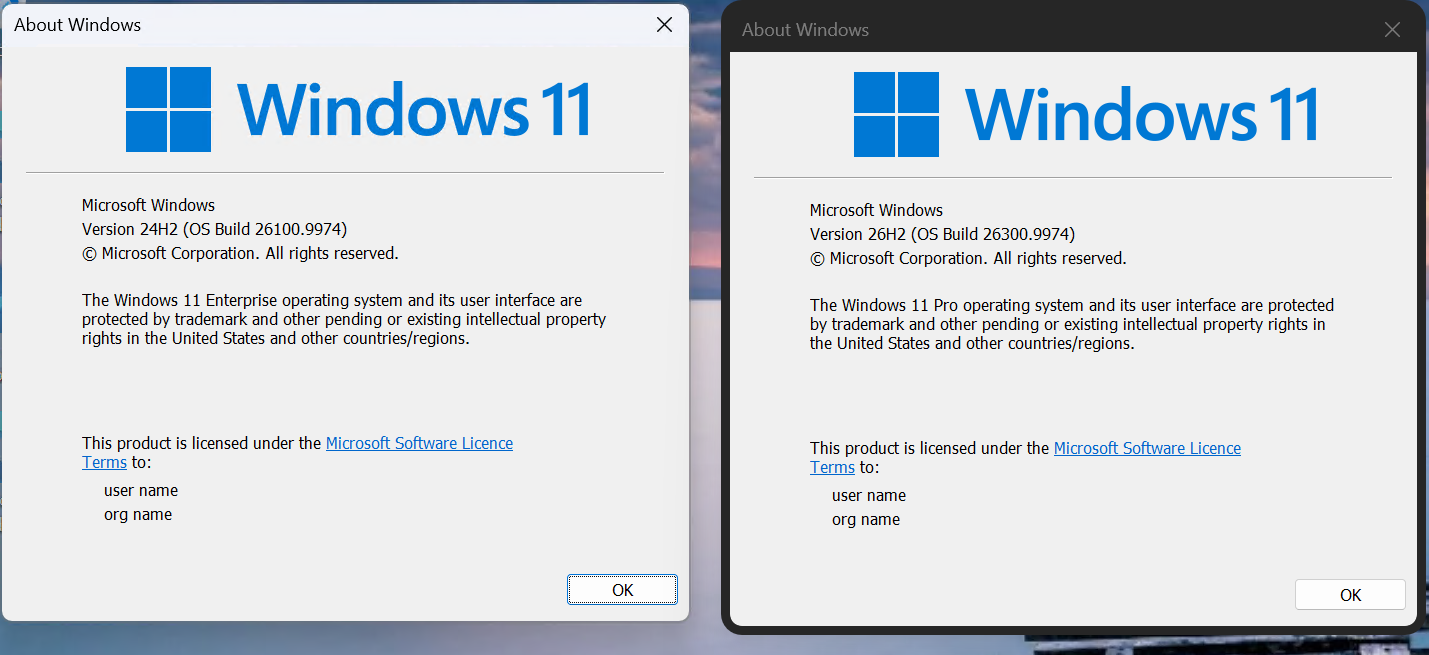
Following your recommendation, I tested Start11 v3 in Windows Sandbox.

The results are very interesting: the widgets work perfectly in Windows Sandbox, but not on my regular Windows 11 installation.

Test 1 – Regular Windows installation

  • Windows 11 Pro

  • Version: 26H2

  • OS Build: 26300.9974

  • Start11 v3 Beta 3.0.0.4

  • Windows 11 Start Menu Style

  • Enhanced Taskbar enabled

The widget selection menu opens normally. However, when I select a widget such as Clock, the menu closes and nothing is added to the Start Menu.

Regular applications and shortcuts can be added without problems.

I even performed a completely clean installation of Windows 11 Pro, but the problem remained.

Test 2 – Windows Sandbox

  • Windows 11 Enterprise

  • Version: 24H2

  • OS Build: 26100.9974

  • Start11 v3

  • Windows 11 Start Menu Style

  • Enhanced Taskbar enabled

I followed the same procedure to add the Clock widget.

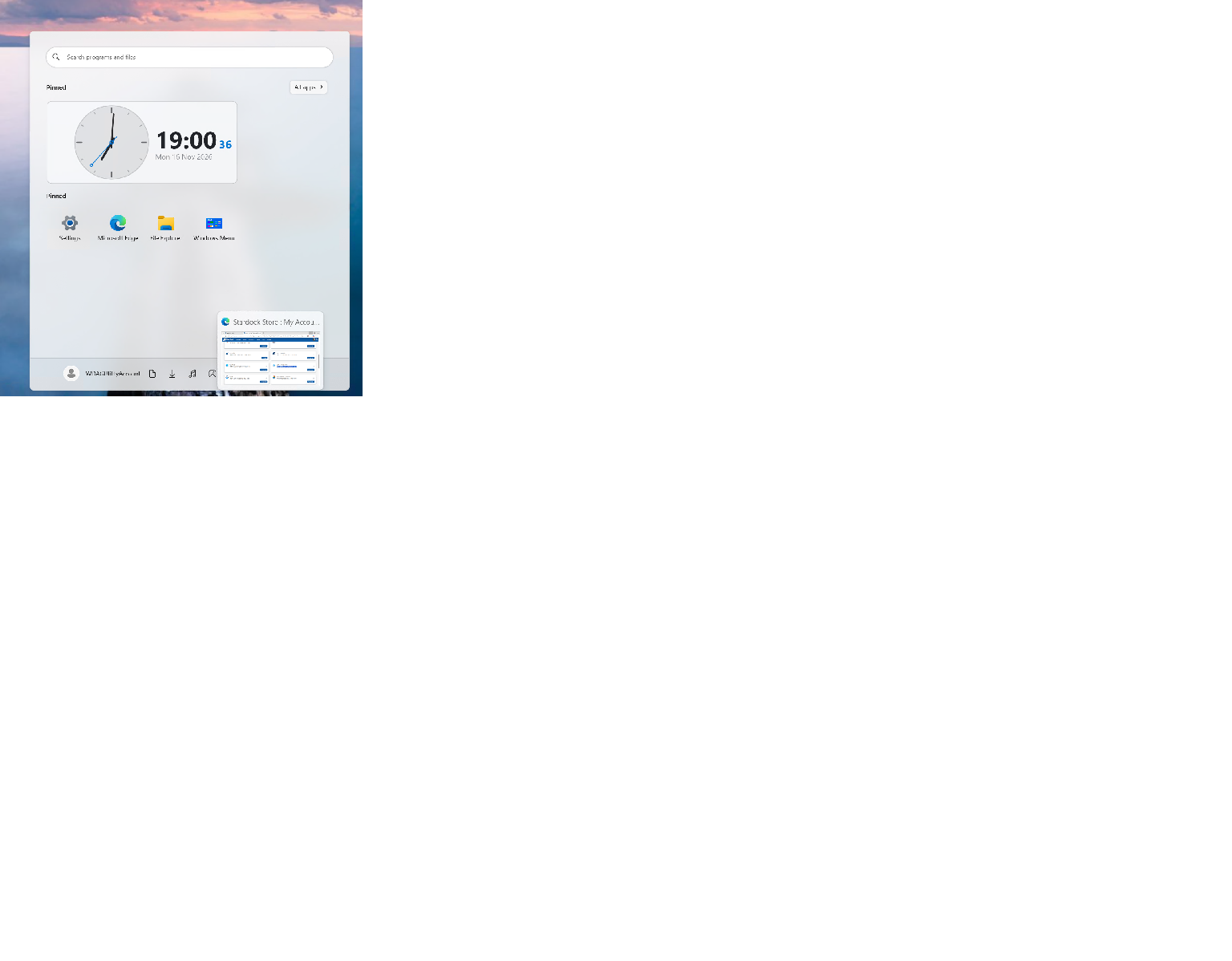
Result: The Clock widget appeared immediately and worked perfectly, displaying both the analog and digital clocks.

I have screenshots showing both Windows build numbers and the working widget in Sandbox.

Conclusion

These results suggest a possible compatibility issue between Start11 v3 and Windows 11 26H2 (build 26300).

Since the issue also occurred after a clean Windows installation, it seems unlikely to be caused by my previous Windows configuration.

Could your development team investigate compatibility with Windows 11 build 26300?

Thank you for your assistance.

Best regards

Reply #19 Top

Hello,
I believe, they already run their tests on Windows 11 26H2 for a while now and there are lots of Start11v3 user running Windows 11 26H2 without similar issue as yours. However, moving forward,I have forwarded your problem/question to Stardock Support Team for their assistance. Please keep an eye on this thread for any updates. We appreciate your feedback and patience. Thank you.

Basj,
Stardock Community Assistant