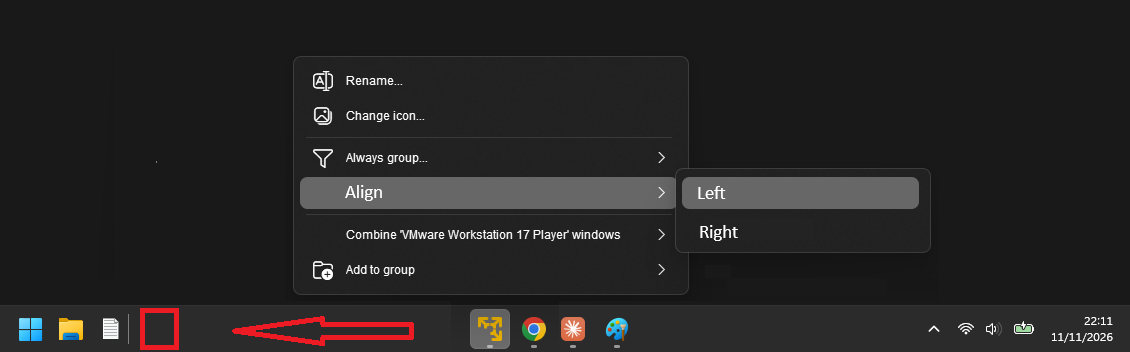
Align Taskbar Buttons\apps Left\right

In V3, aligning start button to left and opened apps in the center is just amazing... thank you very much for this feature!
Now I think it could be even better.
When I am working with Virtual machines and I am in the host, I want the VM (yellow icon) out of my focus, because I am now working only in the host.... the VM icon could be aligned to the left.
Everything I'm not using could be left or right :)


230 views 3 replies
Reply #1 Top

Hello,
Unfortunately, there is no such option for that.

Thank you,
Basj,
Stardock Community Assistant.

Reply #2 Top

You can use the hide if not focused option and then the window only shows when it has focus or you click the + button (if enabled)

Reply #3 Top

Thank you.

Hiding doesn't work for me... I got lost having to use alt+tab to find and enter the VM
Pls considere this new feature in future ;)


BTW another very useful feature you did was the possibility to change the icon of an app.
I hated when windows explorer started changing its icon for folders like Music, Docs, etc.
Windows explorer is one app, not two.. when the icon changes you have to start thinking where the app is now in the taskbar. Its fucking nonsense. 

Now everything is just a Yellow folder :)

Thank you  Thank you   Thank you!